
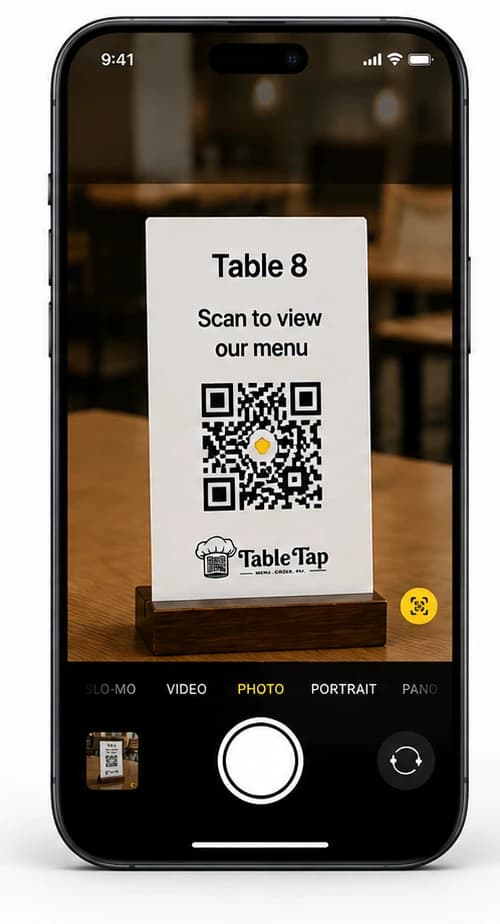
Step 1
Scan QR
Guests scan the TrayTap code to open the menu.
Slide 1 of 3Customers scan the QR code, browse real dishes, place orders from their own phone, and the kitchen receives orders instantly, reducing waiter workload and speeding up service.
Scan QR
Place Order
Enjoy Food
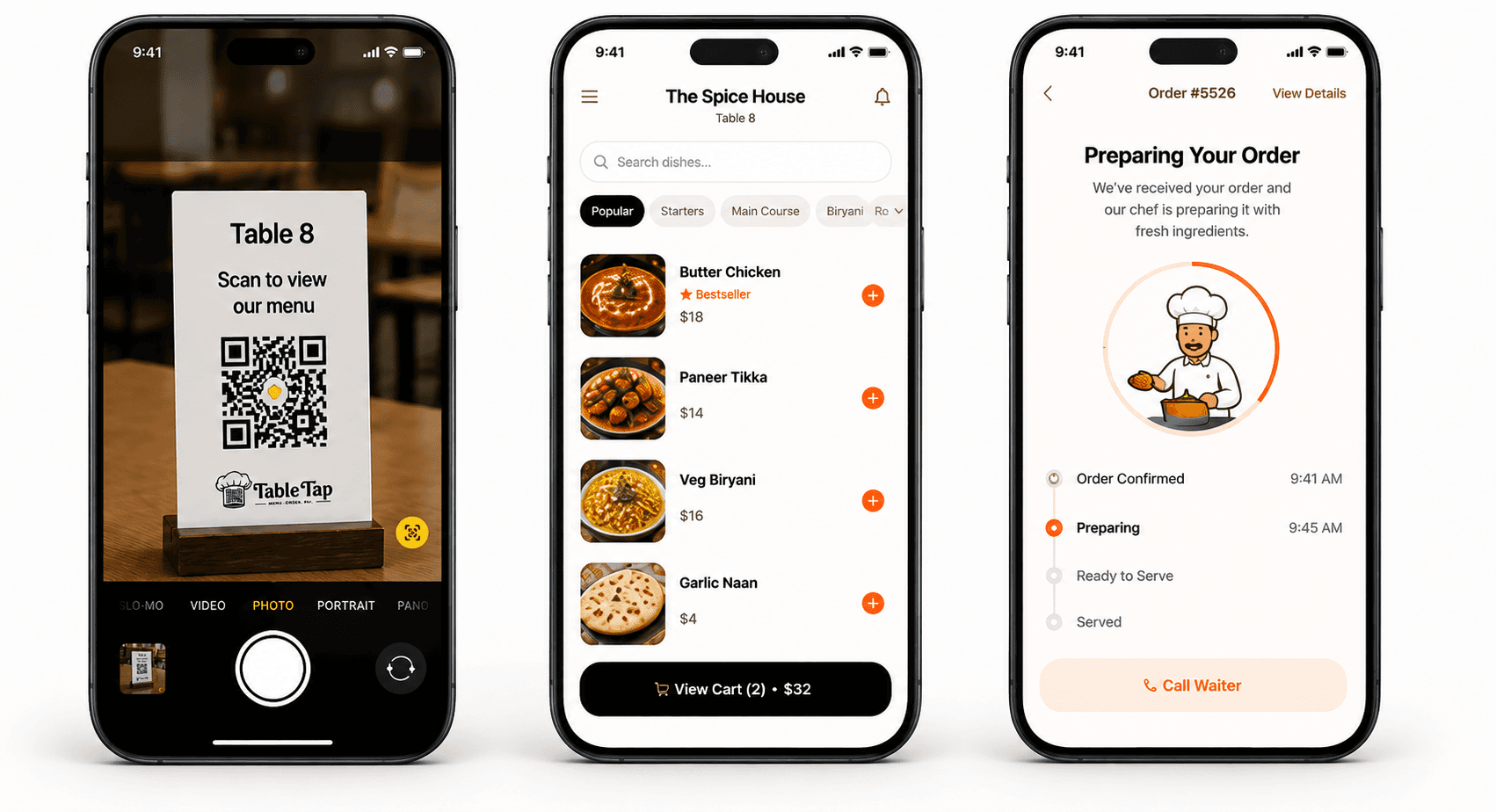
Step 1
Guests scan the TrayTap code to open the menu.
Slide 1 of 3
Step 2
They browse dishes and place an order from their phone.
Slide 2 of 3
Step 3
The guest sees clear updates while the kitchen prepares it.
Slide 3 of 3Save printing cost and update your menu instantly.
Customers order directly, so waiters can focus on service.
Orders go straight to the kitchen with fewer mistakes.
Less waiting, happier customers, smoother dining.
Show real photos and details of every dish beautifully.
Live reports and insights to grow your restaurant.
How TrayTap Works
Customers simply scan, browse your menu, customize dishes and place orders instantly. Your kitchen receives every order in the dashboard as it arrives.
Table 8 · Digital Menu
 Bestseller

Comparison
Replace outdated paper menus with a faster, smarter dining experience.
Customers wait before ordering.
Printing and replacement costs.
Higher chances of mistakes.
Customers cannot visualize dishes.
Extra waiter dependency.
Every change requires reprinting.
Customers order instantly.
Unlimited menu updates.
Orders reach kitchen immediately.
Customers order with confidence.
Serve more customers.
Modern digital dining.
Live Order Flow
Follow the order handoff from the guest's mobile device to the restaurant dashboard.
Table 08 • Digital Menu
 Must Try
Tandoor-grilled cottage cheese with bell peppers and spices
 Best Seller
Traditional clay-oven baked flatbread brushed with fresh butter

Creamy yogurt drink blended with sweet Alphonso mangoes
Kitchen & Floor Management
Launch your restaurant's QR ordering system in under 5 minutes with pricing that stays clear and backend-controlled.
No payment required.
FAQ
Everything you need to know before getting started with TrayTap.